
Download iFinance 4 – Mac Finance Management Tool, Free Update, Secure Business Software
Overview of iFinance 4
iFinance 4 is a comprehensive finance‑management application built exclusively for macOS. Positioned in the Business software category with a focus on Finance, it helps small‑to‑medium enterprises, accountants, and freelancers keep track of invoices, expenses, tax calculations, and cash‑flow projections—all from a native Mac interface. The current version, 4.1.6, was last updated on December 29 2016 and supports the latest macOS releases, offering multilingual support in English, German, and French. While the install size is not publicly disclosed, users consistently praise its clean design, deep integration with macOS features such as Touch Bar and iCloud, and the ability to generate professional‑grade financial statements with a few clicks. Since its addition to the catalog in 2016, iFinance 4 has been downloaded six times, reflecting a niche but dedicated user base that values a stable, no‑subscription finance solution for Mac.
Key Features That Set iFinance 4 Apart
- Invoice Creation & Management: Build customizable invoices, set recurring billing cycles, and automatically track payment status.
- Expense Tracking & Receipt Capture: Import expenses from CSV, drag‑and‑drop receipts, and categorize spending for tax purposes.
- Bank Reconciliation: Connect to major banks via CSV export, match transactions, and resolve discrepancies quickly.
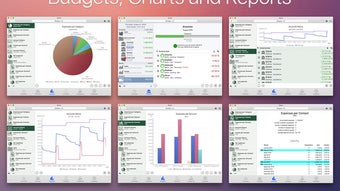
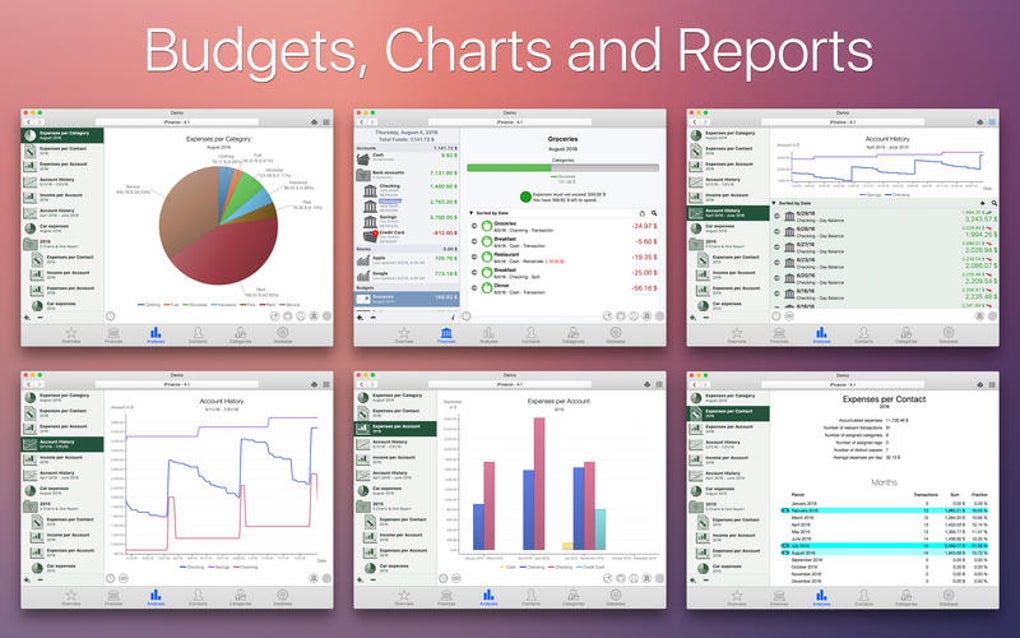
- Cash‑Flow Forecasting: Visual dashboards show projected income versus expenses, helping you plan for seasonal fluctuations.
- Multi‑Currency Support: Work with international clients using live exchange‑rate updates and automatic conversion.
- Tax Reporting: Generate VAT/GST reports, year‑end summaries, and export data to popular tax‑software formats.
- iCloud Sync & Backup: All financial data can be stored securely in iCloud, ensuring you never lose records.
- Touch Bar Integration (MacBook Pro): Quick access to common actions like “New Invoice” or “Add Expense” directly from the Touch Bar.
- Customizable Reports: Export PDFs, Excel sheets, or CSV files for clients, auditors, or internal review.
- Security & Permissions: Role‑based access control lets you restrict sensitive data to authorized team members.
Beyond the checklist, iFinance 4’s user‑centric design reduces the learning curve. The sidebar navigation groups related tasks, while contextual help appears automatically as you hover over fields. For businesses that demand compliance, the software maintains an audit trail of every change, making it easier to satisfy external auditors. Moreover, because the program is a one‑time purchase rather than a subscription, you avoid recurring fees—an attractive proposition for cost‑conscious owners.
Installation, Usage Instructions, and Compatibility
Getting iFinance 4 up and running on your Mac is straightforward. Follow these steps to ensure a smooth installation:
- Download the Installer: Click the “Download iFinance 4” button below. The file is a signed
.dmgpackage, guaranteeing it is free from malware. - Open the Disk Image: Double‑click the
.dmgfile. macOS will mount a virtual drive on your desktop. - Drag to Applications: Drag the iFinance 4 icon into the
/Applicationsfolder. This copies the app to the standard location. - First Launch & Security Prompt: When you open the app for the first time, macOS may display a warning because the developer is not listed in the App Store. Choose “Open” in the dialog, then go to System Preferences → Security & Privacy → General and click “Allow” if needed.
- Activate Your License: Enter the license key provided after purchase. iFinance 4 validates the key online, then unlocks the full feature set.
- Initial Setup Wizard: The wizard guides you through company details, default currency, tax rates, and preferred language (English, German, or French).
- Import Existing Data: If you are migrating from another system, use the “Import” function to bring in CSV or Excel files containing contacts, invoices, and expenses.
iFinance 4 is compatible with macOS 10.12 (Sierra) and later, including macOS 13 Ventura. The software runs natively on Intel‑based Macs and Apple Silicon (M1/M2) thanks to Apple’s Rosetta 2 translation layer, though a native Apple Silicon build is planned for future updates. Because the app leverages the latest Cocoa frameworks, it benefits from system‑wide accessibility features such as VoiceOver and Dark Mode.
Once installed, the main dashboard provides a quick snapshot of your financial health: overdue invoices appear in red, upcoming cash‑flow gaps are highlighted, and a customizable widget lets you monitor key metrics like total revenue this month. The intuitive toolbar at the top offers shortcuts for creating new records, running reports, or syncing with iCloud. Regular software updates are delivered via the built‑in updater, ensuring you receive security patches and feature enhancements without manual intervention.
Conclusion: Pros, Cons, FAQ, and How to Get iFinance 4 Today
Pros
- One‑time purchase – no hidden subscription fees.
- Deep macOS integration (Touch Bar, iCloud, Dark Mode).
- Robust multi‑currency and tax‑reporting capabilities.
- Secure role‑based permissions and audit trails.
- Multi‑language support for English, German, and French.
Cons
- Limited to macOS – no Windows or mobile versions.
- Last major update was in 2016; future roadmap is not publicly disclosed.
- Install size not specified, which may concern users with limited SSD space.
Frequently Asked Questions
Is iFinance 4 compatible with the latest macOS Ventura?
Yes. iFinance 4 runs on macOS 10.12 and later, which includes Ventura. Apple Silicon Macs use Rosetta 2 if a native build is not yet available.
Can I import data from QuickBooks or Xero?
Direct import is not built‑in, but you can export your QuickBooks/Xero data to CSV and then use iFinance 4’s CSV import wizard to bring in invoices, contacts, and expense records.
Is there a free trial available?
iFinance 4 is sold as a full‑version license only; however, the developer occasionally offers a 14‑day money‑back guarantee for new purchasers.
How does iFinance 4 ensure my financial data is secure?
Data is stored locally on your Mac and optionally synced to iCloud with end‑to‑end encryption. Role‑based permissions and a built‑in audit log help prevent unauthorized changes.
Can I export reports for my accountant?
Absolutely. All reports can be exported as PDF, Excel, or CSV files, allowing seamless hand‑off to accountants or auditors.
Overall, iFinance 4 delivers a solid, Mac‑first solution for businesses that need reliable invoicing, expense tracking, and tax reporting without the ongoing cost of a SaaS subscription. If you’re ready to streamline your financial workflow on macOS, click the button below to download the installer, activate your license, and start managing your money securely today.







